A little context: I knew about CDSA while I was still in graduate school. I had already worked through a few Academy modules in December 2025, including digital forensics, incident handling, and threat hunting, but I could not give the full path the time it deserved. After graduating, I did not want to put it off for another year. I wanted to keep learning, so I started working through the rest of the path on May 5, 2026.
I took the modules slowly. I usually learn better from videos than from long stretches of text, and I wanted notes I could actually use later. I went through the material one module at a time, though not always in the suggested order, and shared my notes on my Blogs page. I have linked each module post below if you are interested. Some of the writing may sound a little too polished: the posts began as my Obsidian notes, and I used AI to help clean them up. I reviewed them so they still reflected what I had learned. If your main goal is to reach the exam quickly, you might focus on the modules most relevant to your preparation. I wanted to understand the whole path, even if it took longer.
I finished the modules on July 25, 2026. Malware analysis took me the longest, but it was worth the time. I wanted to be able to return to my notes months later and still explain what I had written.
The 15 modules, briefly
Here is a quick summary of what I took from each part of the SOC Analyst path. The links below go to my own notes, not the official course modules.
- Incident Handling Process gave me a way to think about an incident from preparation and detection through recovery and lessons learned.
- Security Monitoring & SIEM Fundamentals covered where security data comes from, how a SOC triages it, and why field structure matters.
- Windows Event Logs & Finding Evil made Windows and Sysmon events much more useful to me for tracing processes, files, and suspicious behavior.
- Understanding Log Sources & Investigating with Splunk gave me practice writing SPL searches and following useful fields from one event to another.
- Windows Attacks and Defense connected Active Directory attack methods with the events that can reveal them.
- Detecting Windows Attacks with Splunk turned those Windows and AD concepts into practical searches.
- Introduction to Threat Hunting & Hunting With Elastic helped me start with a question, test it against the logs, and choose the next pivot.
- Intro to Network Traffic Analysis built my confidence with packets, protocols, Wireshark, and tcpdump.
- Intermediate Network Traffic Analysis went deeper into unusual network behavior and how attacks can show up across layers.
- Introduction to IDS/IPS introduced Suricata, Snort, Zeek, and the work of turning suspicious traffic into detections.
- Introduction to Malware Analysis was the slowest for me, but it taught me to examine suspicious files through static analysis, dynamic analysis, and basic code analysis rather than trusting a filename alone.
- YARA & Sigma for SOC Analysts showed me how to use rules to classify artifacts and express a repeatable detection idea.
- JavaScript Deobfuscation made me more comfortable peeling back encoded or packed code one layer at a time.
- Introduction to Digital Forensics brought together disk artifacts, Registry evidence, memory, KAPE, and Volatility.
- Security Incident Reporting explained how to turn investigation notes into a report someone else can follow.
For my exam attempt, Modules 3 through 7, 11 and 12, 14, and 15 were the ones I returned to most. Windows and Sysmon logs, SPL, Active Directory behavior, threat hunting, basic static and dynamic malware analysis, memory forensics, and reporting all felt useful to study. I did not go especially deep into malware analysis, but the basics helped. The network traffic, IDS, and deobfuscation modules also gave me background I was glad to have. If I had to emphasize one lesson from Module 15, it would be to write up findings as you investigate; I learned that one the hard way.
Before sitting the exam, I worked through three CyberDefenders labs: ShadowRoast, FalconEye, and LNKTrap. They gave me practice following an intrusion across logs and explaining each pivot. I also tried Boss of the Splunk. That was good practice too, though I still have its writeup to finish. I reviewed my notes on MITRE ATT&CK patterns and Active Directory attacks as well. My plan for the exam was simple: follow the attack sequence, keep evidence for each step, and write down what I could and could not prove.
For anyone budgeting for it: as of September 2026, HTB lists the standalone CDSA exam voucher at $210 USD, before applicable VAT. Access to the Academy modules is a separate consideration; some annual plans include a voucher. That is the listed price, not a claim about what every candidate will pay at checkout. I used the student plan to study.
The exam and the unexpected extension
I started the exam on August 24, 2026, planning to begin with Scenario 1. The standard window was seven days, and I knew the technical investigation and final report would both need time. Instead, I ran into a problem with the Elastic lab environment. I contacted Hack The Box, then moved to Scenario 2 rather than spend the first day waiting. I completed that investigation on day one, even though it was not the start I had planned.
The next morning, August 25, I still had not heard back. Since the problem was with Elastic, I decided to try getting the Scenario 1 logs into Splunk. I converted and ingested them that morning. I was more comfortable in Splunk than Elastic, so once the logs were there, the switch was fine for me. HTB then granted me an extension of about a week, and I spent the rest of the day working through Scenario 1 in Splunk. It was a workaround I had not expected to need, but I could finally investigate instead of waiting. I saved my searches, results, and screenshots in Markdown as I went.
I used AI to help draft some searches. It was useful, especially when I knew the question I wanted a query to answer. It also sometimes gave me queries that were much longer than they needed to be, so I had to simplify them and check the results myself. I was already thinking about how each result would fit into the report.
The Splunk detour was not perfectly smooth. Some of my searches were awkward because I was still learning how best to work with the converted logs. The important part was being able to follow a lead, test it against the evidence, and decide what to check next. The modules and my earlier notes helped with that.
The extension gave me breathing room, but I used some of it to procrastinate. Some mornings I investigated and saved screenshots, then told myself I would write the report later. I ended up putting the writing off for a couple of days.
The report was the hardest part
When I finally sat down to write, I realized how much easier it would have been if I had drafted each finding while investigating. I had plenty of notes and screenshots, but I still had to put them in order, rerun a few queries, and make sure every conclusion had a clear path back to its evidence.
SysReptor helped me assemble the final document. What took time was explaining each step clearly: what I was trying to find, which log or artifact I used, what the result showed, and why that result led to the next question. The submitted report was 139 pages. I know that’s long, but I didn’t want to leave out the steps that connected one finding to the next. Working through the timelines taught me more than simply finding the answers to the exam questions would have. By the end, I felt proud of the investigation and the report I had written.
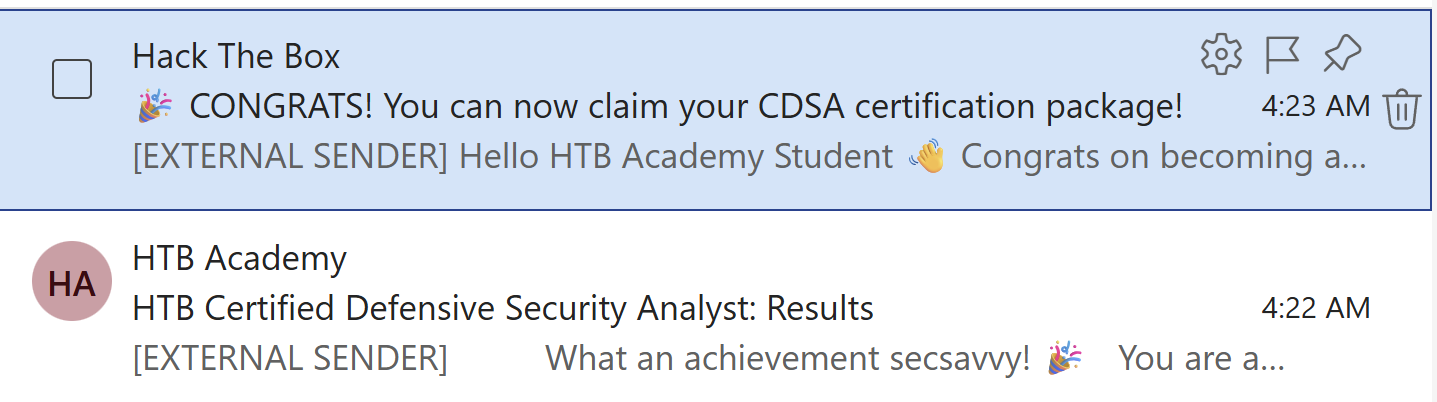
I submitted the report on September 2, 2026. Then I checked my inbox almost every day. On September 22, the result finally arrived. The congratulations email was a pretty good way to start the day. The certification is also on Credly.
Where AI helped, and where I had to do the thinking
I have mixed feelings about using AI for a certification exam, so I want to be honest about how I used it. It helped me write and refine SPL, organize a very messy collection of notes, and turn my draft explanations into clearer prose. It saved time on syntax and formatting. I still chose the investigative pivots, checked the output against the logs and forensic artifacts, and decided what the evidence supported. AI can sound certain even when it is wrong; that happened often enough that I learned to keep questioning it.
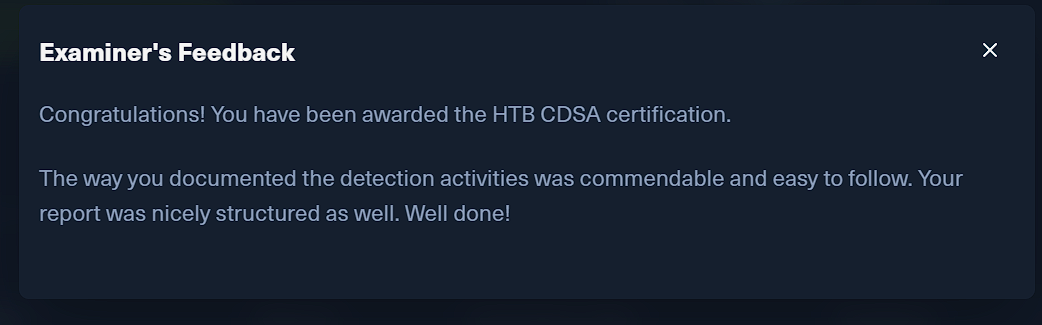
The examiner’s feedback meant a lot to me because the report had taken so much work. AI helped heavily with drafting, but I checked it line by line. They said the detection activities were documented clearly and the report was easy to follow.
What I took away
The biggest skill I practiced was deciding what to check next. I became more comfortable turning an odd event into a focused SPL search, following process and authentication activity across hosts, and using forensic artifacts to check whether the story in the logs held up. The path also gave me a better foundation for examining suspicious scripts and files without assuming that a tool name or rule match explained everything they did.
The report taught me just as much. I had to separate what the evidence showed from what I thought might have happened, keep the searches and screenshots needed to reproduce a finding, and say plainly when I could not prove a step. I am still learning, but I came away better at connecting technical details into an investigation someone else could follow.
Was it worth it?
I studied cybersecurity in both undergraduate and graduate school, and I have worked on basic MSSP ticket handling, triage, and support. As someone who is naturally curious, I wanted the chance to carry an investigation from the first clue through the technical findings and into a complete report. CDSA gave me that chance. School taught me the concepts, but, at least in my experience, it had not given me quite the same end-to-end investigation. Working through one made me more confident.
I cannot say how much it would add for someone who already does investigations like this every day. For a student or a newer SOC analyst who wants to see how the pieces connect, I would recommend it. It showed me where I was comfortable, where I still had gaps, and how much I enjoy the investigative side of security work.
My practical advice is to keep notes as you go. Treat the work as an investigation: follow the evidence, test possible explanations, and record the gaps you cannot fill. A report becomes much easier to write when you understand how the pieces fit together. I did not use Sherlocks as part of my preparation, so I cannot judge how much they would have helped me. The CyberDefenders labs I mentioned did help me practice that mindset.
Skills covered across the path: Digital forensics, log analysis with Splunk and the Elastic Stack, malware analysis and deobfuscation, Active Directory and Windows attack/defense, traffic analysis and IDS/IPS, YARA and Sigma, incident handling, and incident reporting.
Thanks for reading, and happy hunting!